Submit a request
Benefits

Ways to get Microsoft Azure solutions

Discount Issues invoices Provides technical support Hosting of solutions

SMART business payment

card w

Discount

Yes

Issues invoices

SMART business

Provides technical support

SMART business + Microsoft

Hosting of solutions

Microsoft

1 pers

Card payment

card gr

Discount

No

Issues invoices

Microsoft

Provides technical support

Microsoft

Hosting of solutions

Microsoft

2 pers
Partnership

5 reasons to switch from card payment to partnership with SMART business

Lower prices of products

One of the most significant benefits of working with SMART business is the lower price of Microsoft products. We provide the best price offers in comparison with the prices in case of payment by card.

Local technical support

Get fast and high-quality support from the partner. We will answer your questions, and if necessary, we will turn to Microsoft for help ourselves. This way, you will get a faster and clearer response compared to contacting Microsoft support directly.

Access to the full line of products

Partnership with SMART business allows customers to combine all their Microsoft cloud products into one complex and pay only for what you use. For example, if you need to increase resource usage for one project or period and then decrease it, you will only pay for the volume used.

Convenience of payment

Get one invoice for Microsoft Azure, Office 365, Microsoft 365, Power BI, Dynamics 365, PowerApps, Enterprise Mobility, Windows 10 and other cloud services.

Combining licenses to optimize costs

Selection of licenses that optimally cover your needs and their combination in order to optimize costs. Our experts will be able to choose the best way for you, which will help you save on licenses.

For more than 16 years, SMART business has been a strategic partner of Microsoft in Ukraine

16

years of successful work in the IT market

750

companies among our customers

91.5%

customer satisfaction rate

314

qualified IT specialists

65

customer countries in the world

18

Microsoft Gold Competencies

azure p 1

Technical support

Personal service from SMART business experts and technical support from Microsoft

azure p 2

Price and billing

Transparent pricing system and simplified financial administration

azure p 3

Expertise

Our experts assess the current level of IT security of the company, provide practical recommendations for strengthening protection against cyber threats, and help deploy the necessary Microsoft Security services

azure p 4

Optimal selection of licenses

We provide a comprehensive analysis of the company's IT security strategy, identify security vulnerabilities, and select the necessary licenses to fully cover existing and future business needs

Blog

Articles and materials

10 min read
Copilot in retail business: unlocking new opportunities
When Microsoft 365 Copilot was officially released, the vendor not only created detailed manuals on how to use it and libraries of specific use cases. Microsoft decided to implement the tool in all departments of the company. The implementation was assigned to “AI Council”, created from top managers in charge of IT, sales, marketing, finance, and risk management departments. One of the project's tasks was to investigate how certain companies can implement AI tools comprehensively, taking into consideration the needs of security, change management, and high-quality customer service on one hand, and increasing operational productivity and overall business efficiency on the other. The experimental results were impressive: the implementation of Copilot accelerated the process of closing user requests to the company's customer service by 12%; increased the performance of sales managers by 9.4%; the marketing department noted a 21.5% growth in conversion; and the finance department reported a 60% reduction in the time spent on servicing the agreements. However, reflecting on these indicators, “AI Council” members draw conclusions that go beyond the quantitative results obtained. In particular, the implementation of Copilot should not be considered as a tool to reduce business costs in a specific area. Instead, it can become a driver of a comprehensive approach to the continuous process of optimization and enhancement of all company’s workflows. The task of a strategically thinking leader should be shaping of AI-oriented culture in the company that elevates people to the scale of their “true value.” For example, the marketing department, getting rid of routine tasks, becomes more focused on solving strategic tasks to achieve the company's mission. Therefore, Copilot is not just an opportunity to perform some operations better, but a tool that allows you to do them in a completely new, more efficient way. Accordingly, it should be evaluated not as an opportunity to reduce business costs, but to free up resources for reinvestment. And here we are mostly talking about the creative potential of the company's personnel.

Copilot from Microsoft – an opportunity to work faster and earn more

If we are talking about what Copilot is, it is primarily the use of AI features to perform daily tasks of servicing a business as a process in order to free up more time to build relationships with its clients, consumers, and suppliers; create new value, new products and services, and, finally, to focus on its growth strategy. The feature of the Microsoft 365 Copilot tool is that it is based on a generative model with access to all work content and company context. But this is not just ChatGPT added to Microsoft 365 applications. It is a system that unites Microsoft 365 applications with Microsoft Graph data and analytics and the GPT-4 neural network. It is thanks to the integration with Microsoft Graph that the tool can process unique user content from calendar, Outlook emails, Teams chats, company documents stored in the Microsoft cloud, generating more relevant responses to requests in the context of operational tasks. Moreover, it complies with the company’s security and privacy policies set by the company for Microsoft 365. In addition, this tool can be customized for your specific business needs, or you can create your own one with Microsoft Copilot Studio. Important: Copilot does not process employee data for training purposes, does not share it with third parties and is available for businesses of all scales.

Key features of Microsoft 365 Copilot

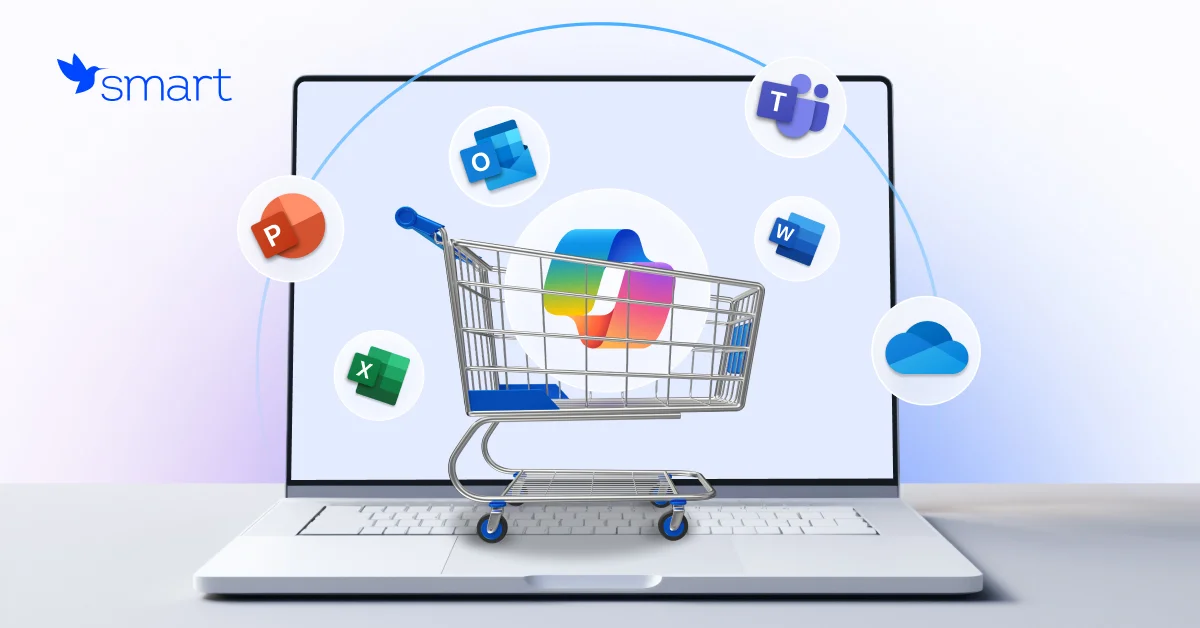
Microsoft 365 Copilot is designed to remove operational limitations in data processing by automating its analysis, creating reports and presentations based on it, and a variety of routine workflows in such applications as Excel, PowerPoint, Outlook, and Teams. In other words, Microsoft 365 Copilot is a solution that allows businesses to do much more in significantly less time. This means that:
  • Copilot in Microsoft Outlook will allow you to quickly summarize extensive correspondence with a big number of customers and suppliers. It will assist you in writing and replying to e-mails by suggesting templates, automatically filling in repetitive parts and adding personal information about the recipient.
  • Copilot in Microsoft Word will help you to generate a unique text and will also edit those texts written by the company’s professionals, adapting them as much as possible to the needs of HR specialists, sales and marketing employees.
  • Copilot in Microsoft PowerPoint will increase the number of customers and brand value by transforming texts and digital data of your company into compelling presentations.
  • Copilot in Microsoft Excel will convert the unprocessed data into analytics in real time thanks to its ability to quickly filter, format, sort and edit the information. This will allow you to stay informed about the effectiveness of your business at any moment.
  • Copilot in Teams will bring your team workflows to a new level of performance thanks to its ability to quickly analyze the content. It allows you to set up different types of notifications, book meeting rooms, summarize meetings and automate report generation based on the results of these meetings. For example, if one of the employees cannot attend the meeting, by using the Follow feature, they will receive a notification in Teams with a detailed summary after the meeting. If you open the meeting recording, you can obtain detailed information from Copilot about what topics were discussed, if everything planned was agreed upon, if there were any additional questions to be resolved or discussed. You can even know if all participants took part in the discussion or ask to make Meeting notes, which easily will turn into a presentation, when required.

Microsoft 365 Copilot use cases that retailers should consider

There is a library of standard Microsoft 365 Copilot scenarios that every company can adapt to the needs in their departments. For example, HR professionals mostly use Copilot to write job descriptions, training materials; marketing specialists use it to generate posts in social networks, to analyze the results of marketing campaigns; sales departments use it to generate commercial offers, to prepare presentations; legal executives use it to review if the contracts proposed by the partners comply with the current legislation and policy requirements of the company; financiers use it to look for patterns that help to estimate the risk level of some transactions. However, in terms of retail business, the following scenarios are the most demanded:
  • Stock management: the use of Microsoft 365 Copilot can significantly simplify stock management workflows by analyzing sales data in real time, forecasting future needs and automatically generating replenishment proposals. This is how it works: Copilot in Microsoft Excel analyzes historical sales data, reveals trends and automatically makes recommendations on the demand to order products specifying their quantity. It helps to prevent the product deficit and overstock in the entire network and sales outlets, reduces costs and increases supply chain performance.
  • Automated order processing and customer relationship management: With Copilot in Microsoft Teams and Copilot in Microsoft Outlook, retailers can optimize order processing. This can be accomplished by automating tasks such as order confirmation, delivery status update, and handling customer inquiries. This accelerates the customer service process, reduces the workload of support teams, improves the quality of customer service, and contributes to increasing the level of satisfaction of end users and their loyalty to the brand and the network.
  • Consumer behavior analysis and sales customization: In retail business, it is especially important to understand customer behavior and customize your relationships with them. Copilot can process data received from diverse sources (emails, chats in various messengers, CRM) and create customer profiles based on them. This helps to determine their buying preferences and habits. For example, sales and marketing teams can create customized offers or recommendations for them. This can be accomplished in real time using data analytics, for example, in Microsoft PowerPoint or Microsoft Outlook.
  • Improving cooperation and communication between departments: In big retail networks, effective communication between the employees across separate stores, logistics departments, warehouses, and head office managers is essential. Copilot can automatically collect important updates from different communication channels, such as Teams or Outlook, and generate short reports if necessary. For example, it can create a meeting summary or automatically update project status information.
  • Optimizing work processes in marketing and sales departments: Copilot assists in identifying trends, analyzing results of promo and advertising activities by analyzing Excel spreadsheets with sales data. As a result, it allows you to determine which marketing campaigns were the most successful. It helps teams quickly change their sales strategy and adjust flexibly their marketing campaigns.

Entrust АІ transformation of your business to professionals

The implementation of Microsoft 365 Copilot can become the first step on the path of AI transformation of retail businesses, as it involves just a kind of upgrade of the traditional programs for workflow service empowered by AI. Everything seems to be the same, but much better: as a result you get an increase in operational efficiency, improve the interaction with partners and customers, and bring the managerial decision-making process to a new level. All this is possible thanks to the elimination of operational restrictions in the process of data processing and use. Considering the implementation of Microsoft 365 Copilot as a first step of your journey into the world of endless capabilities of AI, you need to be supported by an experienced vendor who has enough expertise to deliver the most effective solutions specifically for your business and will always find the best way to implement them quickly and smoothly into the company’s IT ecosystem. SMART business, as a leading Microsoft partner, has extensive experience in the development, implementation and support of modern ERP, CRM and HRM systems, cloud services and Microsoft solutions based on predictive analytics and artificial intelligence. For 15 years, we have been helping our customers to build innovative businesses by implementing advanced AI-based solutions and modern technologies. Our experience is the key to success for our customers in 65 countries. We are open to communication and cooperation and are ready to guide your business through AI transformation: from assessing the degree of its readiness to implementing innovative solutions and determining the range of the most effective ones, considering the specificities of the work, to its implementation and building your own AI ecosystem. Do you want to know how you can upgrade your business with innovative technologies? Book your free consultation here.
7 min read
How to Implement Generative AI in HR: 7 Use Cases
Generative AI is gradually becoming one of the key tools for automating routine tasks in HR, increasing productivity and improving the overall employee experience. According to a Gartner study, 76% of surveyed HR leaders believe that if their companies do not implement artificial intelligence solutions, in particular generative AI, over the next 12-24 months, they risk falling behind competitors in achieving organizational success. So, it becomes obvious that it is time to act. Let’s consider 7 main ways how does generative AI empower the human resource function.

Case 1. Generative AI in recruitment

Generative AI in HR can significantly simplify the recruiting process by automating resume analysis and selecting the best candidates according to specified criteria. It is also capable of creating personalized invitations to interviews, as well as automatically generating job descriptions, considering the key requirements of the company. Recruiter preparation for interviewing a technical candidate is also much easier with generative AI. For example, an AI chatbot can help with technical questions for a product manager or tasks for a marketer. This significantly increases the level of interviewer preparation, helping them focus on key points and achieve better results. Scenarios for using artificial intelligence in recruiting vary depending on business needs and process specifics. For example, one IT company uses generative AI for recruiting during the first interview. It analyzes the text version of the interview by more than 100 parameters, such as word choice, speech rate, sentence structure, and reaction to external stimuli. The results obtained allow you to group candidates by management qualities, employee autonomy, and even assess their enthusiasm. Thanks to this approach, the company can find the most suitable specialists for its team and increase the acceptance rate of offers.

Case 2. Virtual assistants for onboarding

Virtual assistants and corporate-tailored chatbots based on GPT can significantly simplify the onboarding process. They can provide new employees with personalized instructions, answers to questions, and offer training materials tailored to a specific position.

Case 3. Hyper-personalized professional development plan

Generative AI in HR processes can create individual training programs for each employee based on their prior knowledge, skills, achievements, and career development goals. If the process of creating a microcourse used to take several days, then with a pre-trained generative AI model it takes a few minutes. The result is accurate and timely training and increased employee productivity. Moreover, such programs can be created not only for HR specialists, but also for specialists who want to achieve career growth or improve certain skills.

Case 4. Generative AI for HR: Sentiment and Performance Analysis

Using employee AI-powered feedback analysis, surveys or absence data, AI can detect early signs of employee demotivation or burnout. This helps HR managers take preventive measures to improve the work environment. AI can analyze employee performance metrics based on various sources, including peer feedback and KPIs. Based on this data, recommendations are made to improve performance. Generative intelligence can offer a real breakthrough in creating “skill maps” in organizations using a skills-based approach. Thanks to AI algorithms, companies can quickly answer important questions, such as the following ones:
  • Is a specialist ready to move to a new position?
  • What courses should be recommended to ensure the specialist is ready for a new position?
  • What skill gaps need to be filled to improve the team's performance?
  • What new competencies should be developed to support innovation and competitiveness of the organization?

Case 5.Genarative AI in HR: Deep HR Analytics

In addition, with generative AI for human resources, HR leaders can detect specific patterns and create customized reports that correlate with data from multiple sources, such as: Generative AI use cases in human resources:
  • What is the turnover rate in different departments and how does this affect productivity?
  • How are bonuses distributed between different groups of employees depending on their performance?
  • Which departments have the most vacancies and what competencies are most needed there for the next stage of the company’s development?

Case 6. Automation of routine tasks

Vacation processing, time off management, and reporting – these routine tasks take up a significant portion of HR specialists’ time. Now you can delegate them to generative AI for HR and focus on strategic tasks that require more analytics and creativity. In addition, employees often contact the HR department with the same type of questions: “When will my salary be paid?”, “Are there any corporate parking spaces?”, “What is my vacation balance?”. All these requests can be processed by the GenAI chatbot, providing quick and accurate answers. AI also analyzes the company’s knowledge base and detects gaps in the questions that employees ask most often. It can create articles or recommendations in a few minutes that fill these gaps, thereby facilitating internal communication and access to information.

Case 7. Supporting corporate culture

Even such a difficult task as supporting corporate culture becomes easier thanks to generative artificial intelligence, which helps create engaging texts, develop interactive chatbots, and offer solutions to improve communication between teams. AI can provide simultaneous translation during corporate online events, automatically transcribe speeches, or provide a summary of key points of speeches, making communication more convenient and accessible for all participants.

Experience of market leaders

A study by Boston Consulting Group indicates that AI can increase the efficiency of HR processes by 30%. And some companies are already actively using it.
  • Coca-Cola is implementing artificial intelligence to automate various business processes, including document management, marketing, and the creation of advertising creatives. As part of a partnership with Microsoft concluded in 2024, the company will invest $1.1 billion in Microsoft cloud services and their Azure OpenAI service, which provides access to the most advanced GPT models. An important factor in choosing was the security and compliance of corporate standards provided by Azure OpenAI.
  • Unilever uses a generative AI-powered chatbot called U-First to onboard new employees. It helps newcomers navigate the onboarding process, answers their questions, and provides important information about the company, policies, and procedures. In addition, U-First collects feedback, which helps Unilever continuously improve the onboarding process. In this way, Unilever aims to increase employee engagement and improve their retention, while reducing the burden on the HR department.
  • L’Oréal uses generative AI to optimize the recruitment process. The Mya chatbot answers candidates’ questions at the initial stages of selection, collecting important information such as visa availability, which significantly saves recruiters’ time. In addition, the AI ​​analyzes and creates job descriptions.
If you are considering implementing generative AI in HR processes, take the opportunity to book a free strategic session. In this session, we will thoroughly analyze your company’s current HR processes and identify areas where the implementation of generative AI for HR will have the greatest impact with specific business metrics. Order a strategic session
10 min read
SMART 1200x628 Cloud 20240813 for Social media ENG
8 Ways to Use Generative AI in Customer Service
If you ask any customer service professional, “How have the last few years been?” the answer will be the same: “Overwhelming.” With ever-increasing customer expectations and a shortage of staff, customer service departments are desperately trying to find an answer to the question: “How can we do more in less time and on less budget?” And the answer to this question is generative artificial intelligence.

Generative Artificial Intelligence and Azure OpenAI

Generative artificial intelligence (GenAI) is currently at its peak of popularity, in particular, thanks to the combined efforts of OpenAI, a leader in this field, and tech giant Microsoft. The result of the collaboration is the Azure OpenAI service, which allows companies to easily create their own and secure solutions based on generative AI models: GPT, DALL-E, CLIP. Such solutions include chatbots, virtual assistants, automated data and speech processing systems, and much more. Integrating Azure OpenAI into customer support is transforming how businesses interact with their customers, driving efficiency, personalization, and innovation. In this article, we will look at the 8 ways to use Azure OpenAI in customer support that will not only improve customer satisfaction but also optimize your internal processes. From continuously working chatbots to personalization based on deep data analysis, these technologies are already radically changing the customer service industry. Learn more about these innovations in the materials of SMART business, a company with a high level of expertise in implementing AI solutions.

Generative AI in customer service: 8 use cases

There are many ways to use generative artificial intelligence, in particular Azure OpenAI, in the customer service industry. Therefore, we will focus on the most useful ones for businesses.

24/7 Customer Support

Chatbots based on Azure OpenAI can provide 24/7 customer support. They can answer frequently asked questions, provide information about products and services, and help solve problems, reducing the workload of human operators. This is especially relevant during peak periods such as holidays or sales. According to various studies, up to 50-70% of customer service calls can be automated, depending on the specifics of the business. AI chatbots use natural language processing (NLP) and machine learning models, learn from corporate data, so they understand the context and can provide answers close to human language and in a corporate tone of communication. Unlike traditional chatbots, AI assistants solve a much wider range of tasks. For example, AI customer service solutions can become guides in user navigation on the site, while personalizing the answers. For traditional chatbots, you need to think through many complex scenarios, write out each answer. And when the client writes something in colloquial language, slang, or formulates questions in some non-standard way, the traditional chatbot will not be able to answer. At the same time, a chatbot with AI will always understand the context and give the most accurate answer. And the company will need to spend several times less time on its development and support.

Processing and sorting customer requests

Creating tickets, classifying and distributing customer requests, and routing them to the appropriate departments and specialists – AI-powered customer service solutions using Azure OpenAI can help with all of this. The result is a reduction in customer waiting times. For example, the multinational chemical manufacturer AkzoNobel has reduced customer waiting times by 80% thanks to AI. The figure is astounding, right?

Personalization of experience and offers

With AI, a company can analyze the history of interactions with a customer and provide personalized recommendations. Like how Spotify analyzes our music preferences and provides personalized playlists. Moreover, AI customer service solutions can recognize the emotional state of customers based on their messages, which allows support operators to adapt their tone and approach to resolving the request. This approach increases customer satisfaction and promotes loyalty.

Automation of routine tasks

Updating order information, changing account settings, processing returns, transcribing conversations, translating voice into text and vice versa, summarizing requests or a short briefing of all previous interactions with the client – AI customer support software can handle these and other routine tasks. Therefore, operators will have more time to solve more complex requests. AI customer service solutions developed on Azure OpenAI are easily integrated with CRM (Customer Relationship Management) systems, which ensures automatic updating of customer profiles with useful information. In the future, the data can be used in marketing campaigns and optimization of customer service processes.

Assistance to operators

A situation familiar to many in the customer service industry. There is a large knowledge base, and the operator must quickly navigate it and find answers or sometimes some documents. But what to do when the operator is a beginner and is simply trying to search the database by keywords specified in the request? Now imagine an AI mentor who understands the context and who can find the right answer and file in seconds, even if the request is not well-articulated. The result is reduced customer waiting times, faster onboarding of new employees, and increased productivity across the entire department.

New user onboarding

A company can use generative AI to help new users install and configure a new product. Thus, an AI-powered chatbot can initiate a conversation immediately after a user logs into the platform for the first time. It greets the customer and provides step-by-step instructions to get started. AI customer support software also offers video tutorials, answers frequently asked questions, and helps with account creation. This ensures a convenient introduction to your product.

Analytics and customer insights

A significant potential of AI customer service solutions based on Azure OpenAI is in data analysis. Thus, generative AI, by analyzing large amounts of data in real time, is able to identify trends and anticipate future customer needs. For example, the system may notice a trend where customers contact the call center two weeks after purchasing a product because they have questions about its installation. Having detected this, the company can proactively contact customers and offer more detailed instructions or a call with a technician. This way, you can solve problems and identify anomalies even before the customer contacts you. AI can help you understand how different customer segments interact with your brand and create more effective business strategies. For example, based on data, artificial intelligence categorizes customers into several groups: new customers, regular customers, or those interested in certain product categories. You can then automate the creation of email campaigns with personalized offers and promotions for each category. For example, American Express uses OpenAI to analyze customer communications across different channels: social media, phone, and email. In this way, they identify problem areas and take proactive measures.

Filling gaps in the knowledge base

Analysis of AI customer support tickets will help identify gaps in the company’s available materials that lead to customer requests. The AI ​powered customer service solutions will automatically recommend writing new articles or updating old ones to solve these problems. A proactive strategy will ensure that the knowledge base is up to date, which in turn will reduce the number of support service requests, because customers will be able to find the information they need on their own By the way, AI technologies will greatly speed up the search in the database and documents.

AI in customer service: key benefits in numbers

Implementing Azure OpenAI for customer service has several benefits, confirmed by studies. Increased request processing speed. According to IBM, using chatbots and AI solutions in customer service can reduce service costs by up to 30% and increase the efficiency of request processing by 40%. Relieving staff. A Forrester report notes that automating routine tasks with AI reduces the need for human intervention by 50-70%, allowing specialists to focus on more complex tasks. Improved service quality. According to a Salesforce study, using AI in customer service can increase customer satisfaction by 20-30%. Efficiency and cost optimization. A Gartner study shows that by 2025, up to 80% of interactions with customer service will be automated thanks to AI.

Why is implementing AI solutions based on Azure OpenAI more effective with SMART business?

The future of customer service is AI, and 78% of customer service specialists agree (HubSpot research). But how can you make AI work most effectively for your company? Which solutions are right for you? How long does it take to train AI assistants personalized for your business models? And how can you do it all with a minimal budget? The best option is to turn to experts in the implementation of technologies based on artificial intelligence. SMART business has been helping Ukrainian and European companies with innovations for over 15 years. You will not have to expand the staff of developers or distract valuable specialists from key tasks. The SMART business team will take on the development and implementation of AI solutions based on generative artificial intelligence using GPT models, guaranteeing: Speed ​​of Azure OpenAI implementation: The team will create an AI solution for you with calibrated accuracy within a timeframe starting from 80 hours. Professional prompt engineering: Our specialists will personalize and teach your AI assistant to generate high-quality answers to all possible requests. It will communicate in the “language” and tone of the brand that your consumers are accustomed to. Unlimited customization options: SMART business specialists will implement all your wishes, creating a unique solution for you thanks to the most modern approaches in the field of AI. No contractors: SMART business experts take on not only the development and implementation of AI assistants, but also further project management. You can always turn to specialists for advice or consultation and initiate the necessary improvements to the solution in the process of scaling your company. Security and relevance of the solution: Enterprise corporate security and regular updates from Microsoft. Want to learn more about specific cases and how AI-based innovations can improve customer service? Register for a free webinar from SMART business today.
mail