Copilot in retail business: unlocking new opportunities
When Microsoft 365 Copilot was officially released, the vendor not only created detailed manuals on how to use it and libraries of specific use cases. Microsoft decided to implement the tool in all departments of the company. The implementation was assigned to “AI Council”, created from top managers in charge of IT, sales, marketing, finance, and risk management departments.
One of the project’s tasks was to investigate how certain companies can implement AI tools comprehensively, taking into consideration the needs of security, change management, and high-quality customer service on one hand, and increasing operational productivity and overall business efficiency on the other.
The experimental results were impressive: the implementation of Copilot accelerated the process of closing user requests to the company’s customer service by 12%; increased the performance of sales managers by 9.4%; the marketing department noted a 21.5% growth in conversion; and the finance department reported a 60% reduction in the time spent on servicing the agreements.
However, reflecting on these indicators, “AI Council” members draw conclusions that go beyond the quantitative results obtained. In particular, the implementation of Copilot should not be considered as a tool to reduce business costs in a specific area. Instead, it can become a driver of a comprehensive approach to the continuous process of optimization and enhancement of all company’s workflows.
The task of a strategically thinking leader should be shaping of AI-oriented culture in the company that elevates people to the scale of their “true value.” For example, the marketing department, getting rid of routine tasks, becomes more focused on solving strategic tasks to achieve the company’s mission.
Therefore, Copilot is not just an opportunity to perform some operations better, but a tool that allows you to do them in a completely new, more efficient way. Accordingly, it should be evaluated not as an opportunity to reduce business costs, but to free up resources for reinvestment. And here we are mostly talking about the creative potential of the company’s personnel.
If we are talking about what Copilot is, it is primarily the use of AI features to perform daily tasks of servicing a business as a process in order to free up more time to build relationships with its clients, consumers, and suppliers; create new value, new products and services, and, finally, to focus on its growth strategy.
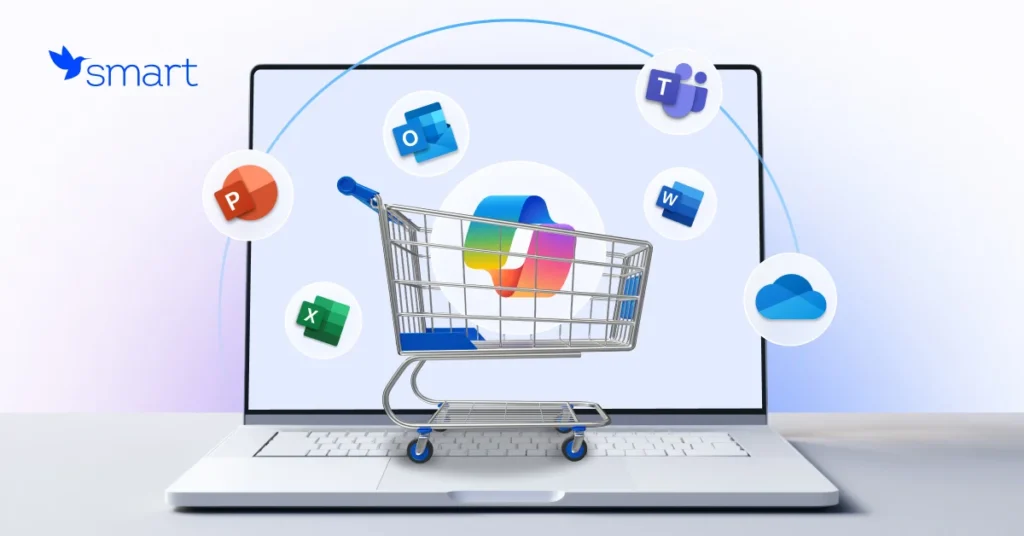
The feature of the Microsoft 365 Copilot tool is that it is based on a generative model with access to all work content and company context. But this is not just ChatGPT added to Microsoft 365 applications. It is a system that unites Microsoft 365 applications with Microsoft Graph data and analytics and the GPT-4 neural network.
It is thanks to the integration with Microsoft Graph that the tool can process unique user content from calendar, Outlook emails, Teams chats, company documents stored in the Microsoft cloud, generating more relevant responses to requests in the context of operational tasks.
Moreover, it complies with the company’s security and privacy policies set by the company for Microsoft 365. In addition, this tool can be customized for your specific business needs, or you can create your own one with Microsoft Copilot Studio.
Important: Copilot does not process employee data for training purposes, does not share it with third parties and is available for businesses of all scales.
Microsoft 365 Copilot is designed to remove operational limitations in data processing by automating its analysis, creating reports and presentations based on it, and a variety of routine workflows in such applications as Excel, PowerPoint, Outlook, and Teams.
In other words, Microsoft 365 Copilot is a solution that allows businesses to do much more in significantly less time. This means that:
There is a library of standard Microsoft 365 Copilot scenarios that every company can adapt to the needs in their departments. For example, HR professionals mostly use Copilot to write job descriptions, training materials; marketing specialists use it to generate posts in social networks, to analyze the results of marketing campaigns; sales departments use it to generate commercial offers, to prepare presentations; legal executives use it to review if the contracts proposed by the partners comply with the current legislation and policy requirements of the company; financiers use it to look for patterns that help to estimate the risk level of some transactions.
However, in terms of retail business, the following scenarios are the most demanded:
The implementation of Microsoft 365 Copilot can become the first step on the path of AI transformation of retail businesses, as it involves just a kind of upgrade of the traditional programs for workflow service empowered by AI.
Everything seems to be the same, but much better: as a result you get an increase in operational efficiency, improve the interaction with partners and customers, and bring the managerial decision-making process to a new level. All this is possible thanks to the elimination of operational restrictions in the process of data processing and use.
Considering the implementation of Microsoft 365 Copilot as a first step of your journey into the world of endless capabilities of AI, you need to be supported by an experienced vendor who has enough expertise to deliver the most effective solutions specifically for your business and will always find the best way to implement them quickly and smoothly into the company’s IT ecosystem.
SMART business, as a leading Microsoft partner, has extensive experience in the development, implementation and support of modern ERP, CRM and HRM systems, cloud services and Microsoft solutions based on predictive analytics and artificial intelligence.
For 15 years, we have been helping our customers to build innovative businesses by implementing advanced AI-based solutions and modern technologies. Our experience is the key to success for our customers in 65 countries.
We are open to communication and cooperation and are ready to guide your business through AI transformation: from assessing the degree of its readiness to implementing innovative solutions and determining the range of the most effective ones, considering the specificities of the work, to its implementation and building your own AI ecosystem.
Do you want to know how you can upgrade your business with innovative technologies? Book your free consultation here.