Blog

  • All
  • Articles
  • News
  • Success stories
10 min read
Copilot in retail business: unlocking new opportunities
When Microsoft 365 Copilot was officially released, the vendor not only created detailed manuals on how to use it and libraries of specific use cases. Microsoft decided to implement the tool in all departments of the company. The implementation was assigned to “AI Council”, created from top managers in charge of IT, sales, marketing, finance, and risk management departments. One of the project's tasks was to investigate how certain companies can implement AI tools comprehensively, taking into consideration the needs of security, change management, and high-quality customer service on one hand, and increasing operational productivity and overall business efficiency on the other. The experimental results were impressive: the implementation of Copilot accelerated the process of closing user requests to the company's customer service by 12%; increased the performance of sales managers by 9.4%; the marketing department noted a 21.5% growth in conversion; and the finance department reported a 60% reduction in the time spent on servicing the agreements. However, reflecting on these indicators, “AI Council” members draw conclusions that go beyond the quantitative results obtained. In particular, the implementation of Copilot should not be considered as a tool to reduce business costs in a specific area. Instead, it can become a driver of a comprehensive approach to the continuous process of optimization and enhancement of all company’s workflows. The task of a strategically thinking leader should be shaping of AI-oriented culture in the company that elevates people to the scale of their “true value.” For example, the marketing department, getting rid of routine tasks, becomes more focused on solving strategic tasks to achieve the company's mission. Therefore, Copilot is not just an opportunity to perform some operations better, but a tool that allows you to do them in a completely new, more efficient way. Accordingly, it should be evaluated not as an opportunity to reduce business costs, but to free up resources for reinvestment. And here we are mostly talking about the creative potential of the company's personnel.

Copilot from Microsoft – an opportunity to work faster and earn more

If we are talking about what Copilot is, it is primarily the use of AI features to perform daily tasks of servicing a business as a process in order to free up more time to build relationships with its clients, consumers, and suppliers; create new value, new products and services, and, finally, to focus on its growth strategy. The feature of the Microsoft 365 Copilot tool is that it is based on a generative model with access to all work content and company context. But this is not just ChatGPT added to Microsoft 365 applications. It is a system that unites Microsoft 365 applications with Microsoft Graph data and analytics and the GPT-4 neural network. It is thanks to the integration with Microsoft Graph that the tool can process unique user content from calendar, Outlook emails, Teams chats, company documents stored in the Microsoft cloud, generating more relevant responses to requests in the context of operational tasks. Moreover, it complies with the company’s security and privacy policies set by the company for Microsoft 365. In addition, this tool can be customized for your specific business needs, or you can create your own one with Microsoft Copilot Studio. Important: Copilot does not process employee data for training purposes, does not share it with third parties and is available for businesses of all scales.

Key features of Microsoft 365 Copilot

Microsoft 365 Copilot is designed to remove operational limitations in data processing by automating its analysis, creating reports and presentations based on it, and a variety of routine workflows in such applications as Excel, PowerPoint, Outlook, and Teams. In other words, Microsoft 365 Copilot is a solution that allows businesses to do much more in significantly less time. This means that:
  • Copilot in Microsoft Outlook will allow you to quickly summarize extensive correspondence with a big number of customers and suppliers. It will assist you in writing and replying to e-mails by suggesting templates, automatically filling in repetitive parts and adding personal information about the recipient.
  • Copilot in Microsoft Word will help you to generate a unique text and will also edit those texts written by the company’s professionals, adapting them as much as possible to the needs of HR specialists, sales and marketing employees.
  • Copilot in Microsoft PowerPoint will increase the number of customers and brand value by transforming texts and digital data of your company into compelling presentations.
  • Copilot in Microsoft Excel will convert the unprocessed data into analytics in real time thanks to its ability to quickly filter, format, sort and edit the information. This will allow you to stay informed about the effectiveness of your business at any moment.
  • Copilot in Teams will bring your team workflows to a new level of performance thanks to its ability to quickly analyze the content. It allows you to set up different types of notifications, book meeting rooms, summarize meetings and automate report generation based on the results of these meetings. For example, if one of the employees cannot attend the meeting, by using the Follow feature, they will receive a notification in Teams with a detailed summary after the meeting. If you open the meeting recording, you can obtain detailed information from Copilot about what topics were discussed, if everything planned was agreed upon, if there were any additional questions to be resolved or discussed. You can even know if all participants took part in the discussion or ask to make Meeting notes, which easily will turn into a presentation, when required.

Microsoft 365 Copilot use cases that retailers should consider

There is a library of standard Microsoft 365 Copilot scenarios that every company can adapt to the needs in their departments. For example, HR professionals mostly use Copilot to write job descriptions, training materials; marketing specialists use it to generate posts in social networks, to analyze the results of marketing campaigns; sales departments use it to generate commercial offers, to prepare presentations; legal executives use it to review if the contracts proposed by the partners comply with the current legislation and policy requirements of the company; financiers use it to look for patterns that help to estimate the risk level of some transactions. However, in terms of retail business, the following scenarios are the most demanded:
  • Stock management: the use of Microsoft 365 Copilot can significantly simplify stock management workflows by analyzing sales data in real time, forecasting future needs and automatically generating replenishment proposals. This is how it works: Copilot in Microsoft Excel analyzes historical sales data, reveals trends and automatically makes recommendations on the demand to order products specifying their quantity. It helps to prevent the product deficit and overstock in the entire network and sales outlets, reduces costs and increases supply chain performance.
  • Automated order processing and customer relationship management: With Copilot in Microsoft Teams and Copilot in Microsoft Outlook, retailers can optimize order processing. This can be accomplished by automating tasks such as order confirmation, delivery status update, and handling customer inquiries. This accelerates the customer service process, reduces the workload of support teams, improves the quality of customer service, and contributes to increasing the level of satisfaction of end users and their loyalty to the brand and the network.
  • Consumer behavior analysis and sales customization: In retail business, it is especially important to understand customer behavior and customize your relationships with them. Copilot can process data received from diverse sources (emails, chats in various messengers, CRM) and create customer profiles based on them. This helps to determine their buying preferences and habits. For example, sales and marketing teams can create customized offers or recommendations for them. This can be accomplished in real time using data analytics, for example, in Microsoft PowerPoint or Microsoft Outlook.
  • Improving cooperation and communication between departments: In big retail networks, effective communication between the employees across separate stores, logistics departments, warehouses, and head office managers is essential. Copilot can automatically collect important updates from different communication channels, such as Teams or Outlook, and generate short reports if necessary. For example, it can create a meeting summary or automatically update project status information.
  • Optimizing work processes in marketing and sales departments: Copilot assists in identifying trends, analyzing results of promo and advertising activities by analyzing Excel spreadsheets with sales data. As a result, it allows you to determine which marketing campaigns were the most successful. It helps teams quickly change their sales strategy and adjust flexibly their marketing campaigns.

Entrust АІ transformation of your business to professionals

The implementation of Microsoft 365 Copilot can become the first step on the path of AI transformation of retail businesses, as it involves just a kind of upgrade of the traditional programs for workflow service empowered by AI. Everything seems to be the same, but much better: as a result you get an increase in operational efficiency, improve the interaction with partners and customers, and bring the managerial decision-making process to a new level. All this is possible thanks to the elimination of operational restrictions in the process of data processing and use. Considering the implementation of Microsoft 365 Copilot as a first step of your journey into the world of endless capabilities of AI, you need to be supported by an experienced vendor who has enough expertise to deliver the most effective solutions specifically for your business and will always find the best way to implement them quickly and smoothly into the company’s IT ecosystem. SMART business, as a leading Microsoft partner, has extensive experience in the development, implementation and support of modern ERP, CRM and HRM systems, cloud services and Microsoft solutions based on predictive analytics and artificial intelligence. For 15 years, we have been helping our customers to build innovative businesses by implementing advanced AI-based solutions and modern technologies. Our experience is the key to success for our customers in 65 countries. We are open to communication and cooperation and are ready to guide your business through AI transformation: from assessing the degree of its readiness to implementing innovative solutions and determining the range of the most effective ones, considering the specificities of the work, to its implementation and building your own AI ecosystem. Do you want to know how you can upgrade your business with innovative technologies? Book your free consultation here.
7 min read
How to Implement Generative AI in HR: 7 Use Cases
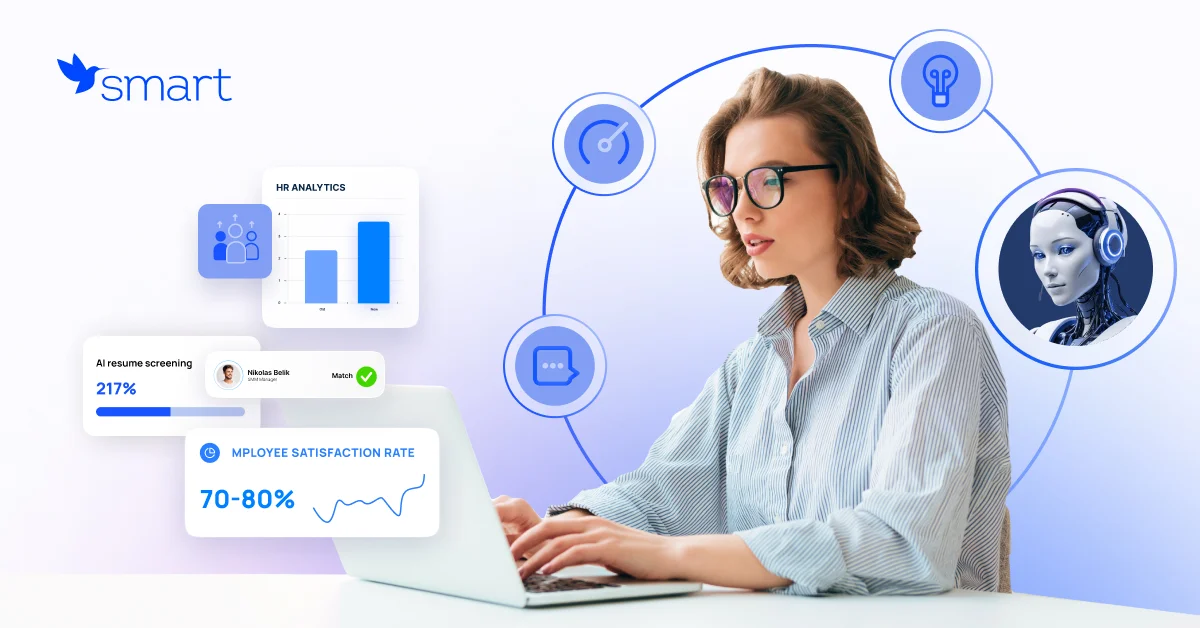
Generative AI is gradually becoming one of the key tools for automating routine tasks in HR, increasing productivity and improving the overall employee experience. According to a Gartner study, 76% of surveyed HR leaders believe that if their companies do not implement artificial intelligence solutions, in particular generative AI, over the next 12-24 months, they risk falling behind competitors in achieving organizational success. So, it becomes obvious that it is time to act. Let’s consider 7 main ways how does generative AI empower the human resource function.

Case 1. Generative AI in recruitment

Generative AI in HR can significantly simplify the recruiting process by automating resume analysis and selecting the best candidates according to specified criteria. It is also capable of creating personalized invitations to interviews, as well as automatically generating job descriptions, considering the key requirements of the company. Recruiter preparation for interviewing a technical candidate is also much easier with generative AI. For example, an AI chatbot can help with technical questions for a product manager or tasks for a marketer. This significantly increases the level of interviewer preparation, helping them focus on key points and achieve better results. Scenarios for using artificial intelligence in recruiting vary depending on business needs and process specifics. For example, one IT company uses generative AI for recruiting during the first interview. It analyzes the text version of the interview by more than 100 parameters, such as word choice, speech rate, sentence structure, and reaction to external stimuli. The results obtained allow you to group candidates by management qualities, employee autonomy, and even assess their enthusiasm. Thanks to this approach, the company can find the most suitable specialists for its team and increase the acceptance rate of offers.

Case 2. Virtual assistants for onboarding

Virtual assistants and corporate-tailored chatbots based on GPT can significantly simplify the onboarding process. They can provide new employees with personalized instructions, answers to questions, and offer training materials tailored to a specific position.

Case 3. Hyper-personalized professional development plan

Generative AI in HR processes can create individual training programs for each employee based on their prior knowledge, skills, achievements, and career development goals. If the process of creating a microcourse used to take several days, then with a pre-trained generative AI model it takes a few minutes. The result is accurate and timely training and increased employee productivity. Moreover, such programs can be created not only for HR specialists, but also for specialists who want to achieve career growth or improve certain skills.

Case 4. Generative AI for HR: Sentiment and Performance Analysis

Using employee AI-powered feedback analysis, surveys or absence data, AI can detect early signs of employee demotivation or burnout. This helps HR managers take preventive measures to improve the work environment. AI can analyze employee performance metrics based on various sources, including peer feedback and KPIs. Based on this data, recommendations are made to improve performance. Generative intelligence can offer a real breakthrough in creating “skill maps” in organizations using a skills-based approach. Thanks to AI algorithms, companies can quickly answer important questions, such as the following ones:
  • Is a specialist ready to move to a new position?
  • What courses should be recommended to ensure the specialist is ready for a new position?
  • What skill gaps need to be filled to improve the team's performance?
  • What new competencies should be developed to support innovation and competitiveness of the organization?

Case 5.Genarative AI in HR: Deep HR Analytics

In addition, with generative AI for human resources, HR leaders can detect specific patterns and create customized reports that correlate with data from multiple sources, such as: Generative AI use cases in human resources:
  • What is the turnover rate in different departments and how does this affect productivity?
  • How are bonuses distributed between different groups of employees depending on their performance?
  • Which departments have the most vacancies and what competencies are most needed there for the next stage of the company’s development?

Case 6. Automation of routine tasks

Vacation processing, time off management, and reporting – these routine tasks take up a significant portion of HR specialists’ time. Now you can delegate them to generative AI for HR and focus on strategic tasks that require more analytics and creativity. In addition, employees often contact the HR department with the same type of questions: “When will my salary be paid?”, “Are there any corporate parking spaces?”, “What is my vacation balance?”. All these requests can be processed by the GenAI chatbot, providing quick and accurate answers. AI also analyzes the company’s knowledge base and detects gaps in the questions that employees ask most often. It can create articles or recommendations in a few minutes that fill these gaps, thereby facilitating internal communication and access to information.

Case 7. Supporting corporate culture

Even such a difficult task as supporting corporate culture becomes easier thanks to generative artificial intelligence, which helps create engaging texts, develop interactive chatbots, and offer solutions to improve communication between teams. AI can provide simultaneous translation during corporate online events, automatically transcribe speeches, or provide a summary of key points of speeches, making communication more convenient and accessible for all participants.

Experience of market leaders

A study by Boston Consulting Group indicates that AI can increase the efficiency of HR processes by 30%. And some companies are already actively using it.
  • Coca-Cola is implementing artificial intelligence to automate various business processes, including document management, marketing, and the creation of advertising creatives. As part of a partnership with Microsoft concluded in 2024, the company will invest $1.1 billion in Microsoft cloud services and their Azure OpenAI service, which provides access to the most advanced GPT models. An important factor in choosing was the security and compliance of corporate standards provided by Azure OpenAI.
  • Unilever uses a generative AI-powered chatbot called U-First to onboard new employees. It helps newcomers navigate the onboarding process, answers their questions, and provides important information about the company, policies, and procedures. In addition, U-First collects feedback, which helps Unilever continuously improve the onboarding process. In this way, Unilever aims to increase employee engagement and improve their retention, while reducing the burden on the HR department.
  • L’Oréal uses generative AI to optimize the recruitment process. The Mya chatbot answers candidates’ questions at the initial stages of selection, collecting important information such as visa availability, which significantly saves recruiters’ time. In addition, the AI ​​analyzes and creates job descriptions.
If you are considering implementing generative AI in HR processes, take the opportunity to book a free strategic session. In this session, we will thoroughly analyze your company’s current HR processes and identify areas where the implementation of generative AI for HR will have the greatest impact with specific business metrics. Order a strategic session
10 min read
SMART 1200x628 Cloud 20240813 for Social media ENG
8 Ways to Use Generative AI in Customer Service
If you ask any customer service professional, “How have the last few years been?” the answer will be the same: “Overwhelming.” With ever-increasing customer expectations and a shortage of staff, customer service departments are desperately trying to find an answer to the question: “How can we do more in less time and on less budget?” And the answer to this question is generative artificial intelligence.

Generative Artificial Intelligence and Azure OpenAI

Generative artificial intelligence (GenAI) is currently at its peak of popularity, in particular, thanks to the combined efforts of OpenAI, a leader in this field, and tech giant Microsoft. The result of the collaboration is the Azure OpenAI service, which allows companies to easily create their own and secure solutions based on generative AI models: GPT, DALL-E, CLIP. Such solutions include chatbots, virtual assistants, automated data and speech processing systems, and much more. Integrating Azure OpenAI into customer support is transforming how businesses interact with their customers, driving efficiency, personalization, and innovation. In this article, we will look at the 8 ways to use Azure OpenAI in customer support that will not only improve customer satisfaction but also optimize your internal processes. From continuously working chatbots to personalization based on deep data analysis, these technologies are already radically changing the customer service industry. Learn more about these innovations in the materials of SMART business, a company with a high level of expertise in implementing AI solutions.

Generative AI in customer service: 8 use cases

There are many ways to use generative artificial intelligence, in particular Azure OpenAI, in the customer service industry. Therefore, we will focus on the most useful ones for businesses.

24/7 Customer Support

Chatbots based on Azure OpenAI can provide 24/7 customer support. They can answer frequently asked questions, provide information about products and services, and help solve problems, reducing the workload of human operators. This is especially relevant during peak periods such as holidays or sales. According to various studies, up to 50-70% of customer service calls can be automated, depending on the specifics of the business. AI chatbots use natural language processing (NLP) and machine learning models, learn from corporate data, so they understand the context and can provide answers close to human language and in a corporate tone of communication. Unlike traditional chatbots, AI assistants solve a much wider range of tasks. For example, AI customer service solutions can become guides in user navigation on the site, while personalizing the answers. For traditional chatbots, you need to think through many complex scenarios, write out each answer. And when the client writes something in colloquial language, slang, or formulates questions in some non-standard way, the traditional chatbot will not be able to answer. At the same time, a chatbot with AI will always understand the context and give the most accurate answer. And the company will need to spend several times less time on its development and support.

Processing and sorting customer requests

Creating tickets, classifying and distributing customer requests, and routing them to the appropriate departments and specialists – AI-powered customer service solutions using Azure OpenAI can help with all of this. The result is a reduction in customer waiting times. For example, the multinational chemical manufacturer AkzoNobel has reduced customer waiting times by 80% thanks to AI. The figure is astounding, right?

Personalization of experience and offers

With AI, a company can analyze the history of interactions with a customer and provide personalized recommendations. Like how Spotify analyzes our music preferences and provides personalized playlists. Moreover, AI customer service solutions can recognize the emotional state of customers based on their messages, which allows support operators to adapt their tone and approach to resolving the request. This approach increases customer satisfaction and promotes loyalty.

Automation of routine tasks

Updating order information, changing account settings, processing returns, transcribing conversations, translating voice into text and vice versa, summarizing requests or a short briefing of all previous interactions with the client – AI customer support software can handle these and other routine tasks. Therefore, operators will have more time to solve more complex requests. AI customer service solutions developed on Azure OpenAI are easily integrated with CRM (Customer Relationship Management) systems, which ensures automatic updating of customer profiles with useful information. In the future, the data can be used in marketing campaigns and optimization of customer service processes.

Assistance to operators

A situation familiar to many in the customer service industry. There is a large knowledge base, and the operator must quickly navigate it and find answers or sometimes some documents. But what to do when the operator is a beginner and is simply trying to search the database by keywords specified in the request? Now imagine an AI mentor who understands the context and who can find the right answer and file in seconds, even if the request is not well-articulated. The result is reduced customer waiting times, faster onboarding of new employees, and increased productivity across the entire department.

New user onboarding

A company can use generative AI to help new users install and configure a new product. Thus, an AI-powered chatbot can initiate a conversation immediately after a user logs into the platform for the first time. It greets the customer and provides step-by-step instructions to get started. AI customer support software also offers video tutorials, answers frequently asked questions, and helps with account creation. This ensures a convenient introduction to your product.

Analytics and customer insights

A significant potential of AI customer service solutions based on Azure OpenAI is in data analysis. Thus, generative AI, by analyzing large amounts of data in real time, is able to identify trends and anticipate future customer needs. For example, the system may notice a trend where customers contact the call center two weeks after purchasing a product because they have questions about its installation. Having detected this, the company can proactively contact customers and offer more detailed instructions or a call with a technician. This way, you can solve problems and identify anomalies even before the customer contacts you. AI can help you understand how different customer segments interact with your brand and create more effective business strategies. For example, based on data, artificial intelligence categorizes customers into several groups: new customers, regular customers, or those interested in certain product categories. You can then automate the creation of email campaigns with personalized offers and promotions for each category. For example, American Express uses OpenAI to analyze customer communications across different channels: social media, phone, and email. In this way, they identify problem areas and take proactive measures.

Filling gaps in the knowledge base

Analysis of AI customer support tickets will help identify gaps in the company’s available materials that lead to customer requests. The AI ​powered customer service solutions will automatically recommend writing new articles or updating old ones to solve these problems. A proactive strategy will ensure that the knowledge base is up to date, which in turn will reduce the number of support service requests, because customers will be able to find the information they need on their own By the way, AI technologies will greatly speed up the search in the database and documents.

AI in customer service: key benefits in numbers

Implementing Azure OpenAI for customer service has several benefits, confirmed by studies. Increased request processing speed. According to IBM, using chatbots and AI solutions in customer service can reduce service costs by up to 30% and increase the efficiency of request processing by 40%. Relieving staff. A Forrester report notes that automating routine tasks with AI reduces the need for human intervention by 50-70%, allowing specialists to focus on more complex tasks. Improved service quality. According to a Salesforce study, using AI in customer service can increase customer satisfaction by 20-30%. Efficiency and cost optimization. A Gartner study shows that by 2025, up to 80% of interactions with customer service will be automated thanks to AI.

Why is implementing AI solutions based on Azure OpenAI more effective with SMART business?

The future of customer service is AI, and 78% of customer service specialists agree (HubSpot research). But how can you make AI work most effectively for your company? Which solutions are right for you? How long does it take to train AI assistants personalized for your business models? And how can you do it all with a minimal budget? The best option is to turn to experts in the implementation of technologies based on artificial intelligence. SMART business has been helping Ukrainian and European companies with innovations for over 15 years. You will not have to expand the staff of developers or distract valuable specialists from key tasks. The SMART business team will take on the development and implementation of AI solutions based on generative artificial intelligence using GPT models, guaranteeing: Speed ​​of Azure OpenAI implementation: The team will create an AI solution for you with calibrated accuracy within a timeframe starting from 80 hours. Professional prompt engineering: Our specialists will personalize and teach your AI assistant to generate high-quality answers to all possible requests. It will communicate in the “language” and tone of the brand that your consumers are accustomed to. Unlimited customization options: SMART business specialists will implement all your wishes, creating a unique solution for you thanks to the most modern approaches in the field of AI. No contractors: SMART business experts take on not only the development and implementation of AI assistants, but also further project management. You can always turn to specialists for advice or consultation and initiate the necessary improvements to the solution in the process of scaling your company. Security and relevance of the solution: Enterprise corporate security and regular updates from Microsoft. Want to learn more about specific cases and how AI-based innovations can improve customer service? Register for a free webinar from SMART business today.
13 min read
What is Azure Databricks?
Azure Databricks is a unified software platform for working with cloud data warehouses, analyzing and processing data, and machine learning. Azure Databricks allows you to work with large amounts of data and use technologies that are combined under the term Big Data. Azure Databricks is used to:
  • analyze large amounts of data to identify new insights and trends;
  • process streaming data in real time;
  • deploy ready-made databases and engage them in parallel computing;
  • build and manage data in cloud-based analytical systems;
  • organize and maintain large volumes of corporate information;
  • conduct analytical calculations based on data of various formats;
  • develop analytical applications and conduct research using custom data processing algorithms.
The Azure Databricks platform uses cloud clusters for computing and can work with data both in cloud storage and in "on-premises" storage. For the user, this means the following: you do not need to maintain special local storages, invest in server hardware, buy expensive computers with powerful computing modules—all this is already available in Azure Databricks. The user gets a ready-to-use platform that will work correctly on a regular office laptop or PC. Another significant advantage of the fully cloud-based Azure Databricks infrastructure is the highest level of information protection. Microsoft invests $1 billion annually in cybersecurity research and development: the company implements its own security solutions with the help of 3,500 permanent specialists. Your data will, firstly, be consolidated in one place and available for sharing through Azure Databricks technologies, secondly, all derived analytical calculations and analytical materials (diagrams, graphs, visualizations of mathematical models) created on their basis will also be stored on the cloud in a single Microsoft ecosystem. Thus, Azure Databricks fully addresses the issue of corporate data protection, and no additional security measures are required.

What is Azure Databricks used for?

If your business collects a large amount of data on business activities and you want to make more informed and effective decisions based on this information (data-driven approach), you can do it with Azure Databricks. This analytical platform is a universal tool for working with data, and the built-in functionality in most cases far exceeds the needs of a particular business. If at some point you need to perform a specific task or implement a new automatic analysis algorithm, Azure Databricks will be sufficient, no additional software is required. Next, let's take a look at the main requests related to data processing that Azure Databricks covers.
Organization, arrangement and data storage. These tasks are the building blocks of Azure technology. Users of the system store and organize large amounts of information in various formats, each supported by one of more than 200 internal Azure products. Any tasks related to the operation, maintenance and use of big data are handled by the Azure infrastructure. Microsoft Azure Databricks technology itself is used mainly for automating analytical processes based on this data, machine learning and other distributed cluster computing functions.
Sharing and using information. In addition to storing information directly, Azure Databricks provides the functionality to simultaneously access this data across different cloud-based software products. You can use different data in different computing processes, including automated ones, and perform other analytical actions with this information in parallel. With Azure Databricks, you can also use artificial intelligence to simplify and automate further processes.
Data analysis. Azure Databricks is a powerful platform for analytical queries that combines user-friendly interfaces with cost-effective cloud computing resources. To simplify the interaction with the platform, administrators can set up computing clusters for non-technical professionals so that they can perform basic analytical queries without having to understand the complexities of cloud programming. Data analysis can be performed by writing code in several programming languages supported by Azure Databricks.
Prediction of performance. With the help of calculations, you can build mathematical models with predicted values of variables in future periods of business activity. Azure Databricks provides a graphical display of the calculations with the ability to integrate the results into Microsoft Power BI for even better visualization and reporting based on the calculated values.
Automation of routine analytical processes. You can automate many processes within Azure Databricks, including data collection, data cleansing and transformation, automatic data updates and even automated analytic queries. In addition, the platform provides ample opportunities for machine learning and the use of artificial intelligence technologies, including in predictive processes. Among the features that simplify information management within Azure Databricks, we also note: (I) automation with unique scripts; (II) setting up warnings and alerts during automatic analytics to monitor data changes.
Azure Databricks provides unlimited possibilities for scaling analytical processes based on user data. The platform's highly optimized engine, built on Apache Spark™ technology, guarantees an increase in computing performance of up to 50 times compared to software models such as MapReduce.

Azure Databricks technologies and programming languages

To begin with, we need to divide Azure Databricks into two fundamental components: the Azure infrastructure cloud platform and the standalone Databricks software product.
  1. Microsoft Azure is a cloud application development platform that combines more than 200 cloud products. Azure Databricks is one of these products, you can connect it to your cloud account and use the functionality provided to fulfill your business tasks.
  2. Databricks is an American company that created the Apache Spark™ cluster processing technology. In the broadest sense, Databricks is a web platform with a ready-made interface that allows automated management of clusters for performing computations using interactive notebooks. All the most up-to-date achievements of the Databricks platform are available through integration with Azure Databricks: in addition to the technology itself, users also get cloud computing power to perform it.
Next, we will talk in more detail about the technical component of the Azure Databricks product from the user's point of view. What does it bring to the business, why is it convenient, and what are the technical benefits for administrators, data analysts and developers when interacting with the platform?

Apache Spark™ computing technology

Apache Spark™ technology is an evolutionary extension of the Apache Hadoop cluster technology that uses the MapReduce programming model. The essence of MapReduce is as follows: one large computational task is divided into small fragments, each of which is launched and calculated in parallel on one of the cluster nodes. In this case, a cluster is a network of serial computers. Apache Spark™ interacts with disk information 10 times faster than MapReduce and processes it 100 times faster. That's why we say that Apache Spark™ is an evolutionary technology compared to MapReduce: they are based on the same principle of program logic, but the speed of information processing by these technologies differs tenfold. In addition, it is worth noting that Azure Databricks uses cloud clusters for computing, which means that the user does not need to use physical hardware to work with the platform.

Programming languages

Azure Databricks supports five programming languages: Python, Scala, R, Java and SQL. This means that an automation specialist can fulfill business data processing requests much faster with a variety of ready-made commands in different languages, instead of being limited to the functionality of only one of them. This is also very convenient when performing complex, unique tasks, including setting up a multistep process of automated calculations based on many databases that are updated at different intervals. With Azure Databricks, a developer can write part of the code in one language and part in another for greater convenience. This saves experts time and universalizes interaction with the platform. Azure Databricks also supports machine learning frameworks and software libraries: TensorFlow, PyTorch and Scikit-learn. This functionality is also designed to simplify the interaction with the platform, but in matters of machine learning based on calculations. Support for three libraries at once frees up the hands of machine learning algorithm developers: it allows them to implement combined software solutions that will be correctly interpreted by the platform. The developers of Microsoft Azure Databricks are actively working to bring even more technologies and supported programming languages to the platform. This requires absolutely nothing from users, as the entire load falls on the system's internal cloud clusters.

What business tasks does Azure Databricks solve?

The Azure Databricks software platform can perform most data tasks that businesses may encounter. The list below describes some of these tasks but is not limited to them.
  • Data workflow planning and management
  • Secure storage of large-scale corporate data
  • Analytical calculations based on data in various formats
  • Visualization of calculated values
  • Creation of analytical dashboards
  • Data ingestion and transformation
  • Creation of a secure network for cloud application development
  • Automation of data collection, updating and analysis
  • Creation of advanced machine learning models
It's hard to find the words to describe all the features of Azure Databricks exhaustively. Within the Microsoft ecosystem, any business need can be met. Related technologies within the platform extend its functionality to cover the needs of even giant businesses with hundreds of parallel processes.

Implementation and customization by the SMART business team

The SMART business team provides services for the implementation, maintenance and development of software algorithms within the Azure Databricks system. If you have a business request to integrate Azure Databricks into your company's software network and are ready to discuss it, then we invite you to a consultation. We have been working with the needs of medium and large businesses for a long time, interacting with data: analysis, process automation, infrastructure development and construction. The SMART business team has created complex sequential processes for the automatic processing of large data sets with daily updates of variables. We invite you and your business to achieve the desired results in business analytics, data management through Azure Databricks and many other processes.

Azure Databricks pricing

Azure Databricks pricing depends on three main factors:
  • type of license subscription;
  • the number of additional integrated software;
  • the level of customization of the platform to meet business needs.
To find out the exact cost of Azure Databricks for your company, please contact SMART business specialists for a consultation. We strive to make the partnership mutually beneficial, so we will look for options to optimize the price of Azure Databricks: platform connection, algorithm automation, integration into the software environment, training, extended service—the number of service components is determined individually for the needs of each business.

Three reasons why Azure Databricks from SMART business is beneficial

  1. Convenient connection of licensed software. As one of the Microsoft partners, we are familiar with all the subtleties of choosing licenses and their support. We will advise you and provide several profitable connection options. We perform all actions with licenses independently, without involving third parties.
  2. Full migration to software products of the Microsoft ecosystem. Whether it's just Azure Databricks or we'll connect Power BI for better reporting and visualization, it's up to you. We also have our own products based on the Microsoft ecosystem that offer even more benefits. The next section will tell you about them.
  3. Quick integration of Azure Databricks with other software. The SMART business team has ready-made solutions for medium and large businesses, so we quickly build software infrastructure in the cloud. Learn more about our ERP, CRM and HRM systems based on Microsoft services.
Microsoft Azure Databricks is one of the many services we offer. We have one more important section to cover about this platform to outline its potential.

Azure Databricks automation and integration with other software services

Let us visualize how useful and beautiful the automation process can be. Imagine a small chain of cozy coffee shops that approached the SMART business team to automate their processes with Azure Databricks.
  • Data collection: Each coffee shop enters the stock balances into the database on the cloud on a daily basis.
  • Data import: Azure Databricks automatically connects to the database to import the collected data at a specific configurable frequency, for example, every morning at 6 o'clock.
  • Inventory forecasting: With Azure Databricks, you can set up an analysis of historical data, sales trends by day of the week and much more. The system can calculate how many certain items need to be prepared and sold to meet demand.
  • Automatic notifications: We add to the algorithm the generation and sending of notifications when indicators reach thresholds, for example, when coffee runs out.
  • Order generation: Azure Databricks will automatically generate an accurate list of how much and what kind of coffee you need to buy.
  • Integration with suppliers: The list with the order of goods can be automatically sent to various designated suppliers via email or API integration.
  • Dashboard updates: When you integrate Azure Databricks with Power BI, each individual coffee shop will have a display of all operational metrics that will be updated in real time. These indicators include inventory, demand fulfillment performance, comparison of values with historical data for the same period, forecasted values, graphs and much more.
Azure Databricks provides businesses with a more accurate and efficient material resource management system, which saves employees time and thus saves the company money. With this approach to business, a small network can easily become a large network that operates simultaneously in many countries around the world using a single ready-made automated scheme. If you are interested in the Azure Databricks functionality or have unique data requests, we invite you to a consultation. The SMART business team is able to integrate Azure Databricks into any software system. After implementing the service, we provide extended support and modernize the platform's functionality to meet your business needs. We invite you to develop and cooperate! Book a consultation
7 min read
What is Azure Active Directory (Azure AD) and how it can help your business improve IT security
Are you sure that the confidential information of your business is reliably protected from unauthorized access? How many working hours does your IT department spend managing user accounts and user groups? And how many passwords do your employees have to access different company resources? If you haven’t answered a single question with ‘We have Azure Active Directory, so it’s all set’, we recommend that you pay attention to this cloud-based identity and access management service. Azure Active Directory is part of the Microsoft cloud services ecosystem and plays a key role in providing IT account security, convenience, and managing access to various company resources. Let’s see how true it is.

What is Azure Active Directory

Azure Active Directory (Azure AD) is a cloud-based identity and access management service provided by Microsoft for integration with various cloud and on-premises applications. Azure Active Directory as part of Microsoft Entra is an enterprise identity service that provides single sign-on, multi-factor authentication, and conditional access and protects users from 99.9% of cyber attacks. It eliminates the need to create and administer different user accounts for different systems. This is a kind of hub for all authentication and authorization requests: from Microsoft services to third-party applications.

7 benefits of using Azure AD for business

Using Azure Active Directory provides you with numerous benefits that make it easier to maintain your company’s IT security. Here are some of them:
  • Single Sign-On (SSO). The basic idea behind SSO is to allow a user to log in once, and after that, their credentials will be used automatically to access other related resources. This makes the authentication process more convenient for users and reduces the risk of entering incorrect credentials. With Azure AD, you can set up single sign-on for users to cloud and on-premises resources, which simplifies the authentication process and improves the user experience.
  • Easy integration with cloud and on-premises applications. Azure AD supports industry-standard protocols such as SAML 2.0, OpenID Connect, OAuth 2.0, and WS-Federation, making it easy to integrate a variety of cloud and on-premises applications with Azure Active Directory.
  • Identity protection: identification and authentication management. Azure AD provides a centralized mechanism for managing user identities. This allows you to request multi-factor authentication (MFA) while providing IT security and usability.
  • Access control flexibility. Azure AD allows you to configure access policies for different resources based on roles and user groups. You can control which users have access to specific applications and resources and what actions they can perform.
  • Synchronization with local directories. Azure AD allows you to synchronize user data, groups, and attributes from local directories, including Windows Server Active Directory. This simplifies user management and ensures data integrity.
  • Identity protection and security. Azure AD has built-in security mechanisms such as threat detection, activity monitoring, and the use of access conditions to improve the security of user accounts.
  • Integration with Microsoft ecosystem. Azure AD works seamlessly with other Microsoft products and services such as Microsoft 365, Microsoft Azure, Dynamics 365, and more. This allows for uniform identification and access to these services.
Having outlined these benefits, we can conclude that using Azure AD helps create a secure and convenient environment for managing identity and access, which helps to increase the level of information security of the business, the efficiency and convenience of the work of users and IT administrators of the company.
Have questions about implementing and configuring Azure Active Directoty? SMART business specialists are ready to provide a free consultation right now.
Get a consultation

Who and for what tasks uses Azure Aсtive Directoty

Your employees can use Azure Active Directory to access their Microsoft 365 accounts such as Outlook email, SharePoint for document collaboration, and Teams for team communication and video conferencing. With Azure AD, employees access the Azure portal, where they can manage various cloud services and resources such as virtual machines, databases, and more. Azure AD integrates with thousands of Software-as-a-Service (SaaS) programs such as Salesforce, Dropbox, Slack, Adobe Creative Cloud, and more. This means that your employees can use their Azure AD accounts for Single Sign-On to these programs without having to remember separate IDs and passwords for each program. Overall, Azure AD makes it easy to manage access to various external resources and allows employees to conveniently and securely use them in their work. A standalone service in Azure Active Directory is Azure Active Directory B2C. It is based on the same technology as Azure AD but is used for a different purpose: providing a convenient, secure and flexible identity system for external users to interact with various applications and services of the company. For example, developers can use Azure AD B2C to integrate authentication into mobile applications. Users will be able to sign in to apps from their existing account or by registering new ones.

Can Azure Active Directory be used for free?

Azure Active Directory is a free service available in all Microsoft Azure and Microsoft 365 subscriptions, and separately for Azure AD subscriptions. However, some advanced features and capabilities of Azure AD are available at an additional cost. Usage and pricing for Azure Active Directory:
  • Azure Active Directory Freе Companies can use Azure AD for free as part of a subscription to commercial cloud products, including Azure, Dynamics 365, Microsoft Intune, Power Platform, and more.
  • Microsoft 365 It is also possible to use additional Azure AD features that are included in Office 365 E1, E3, E5, F1, and F32 for free.
  • Azure Active Directory Premium P1 Microsoft 365 E3 includes a 30-day free trial of Azure AD Premium P1. Price per user: $6 without VAT.
  • Azure Active Directory Premium P2 Microsoft 365 E5 includes a 30-day free trial of Azure AD Premium P2. Price per user: $9 without VAT.
The prices are relevant at the time of the article publication. To find out the cost of licenses to use Azure Active Directory for your company, submit a request.
Order Azure AD

Azure Aсtive Directory (Azure AD) is becoming Microsoft Entra ID

When Microsoft introduced Microsoft Entra in May 2022, it included three products: Microsoft Azure Active Directory (Azure AD), Microsoft Entra Permissions Management, and Microsoft Entra Verified. The Microsoft Entra family was later extended with Microsoft Entra ID Governance and Microsoft Entra Workload. To simplify product naming and unify the Microsoft Entra family, the company is changing the Azure AD name to Microsoft Entra ID. Licensing features and plans, login URLs, and APIs remain unchanged, and all existing deployments, configurations, and integrations will continue to work. All licensing plans and pricing for Azure AD and Microsoft 365 plans that include Azure AD remain the same. All processes related to changing the name from Azure AD to Microsoft Entra ID are scheduled to be completed by the end of 2023. No action is required from you.

What can be done right now to improve your company’s IT security level?

Below are 2 ways we can help you minimize the risk of corporate data breaches and loss of employee passwords:
  • Get a free company IT security assessment to learn about potential vulnerabilities in your business and get advice on how to improve your cybersecurity with the Zero Trust model.
  • Schedule a consultation with us where we’ll answer your questions, identify your immediate needs, and tell you what tasks SMART business professionals can take on.
Order a consultation
3 min read
How the SSPR service eliminates 20-30% of your IT department’s routine
SSPR (Self-Service Password Reset) is one of the services of Azure Active Directory, a cloud-based solution that is responsible for identifying users and granting them access. This service allows company employees to change or reset their own passwords without the help of an administrator. It may seem like a small thing. But what happens in organizations that don't use Azure AD SSPR? In this case, 20-30% of the support team's working time will be spent restoring access. Employees often forget their passwords, especially if they are complex, as required by information security rules. In addition, when a password expires, employees do not always change it in time and are forced to contact administrators to regain access to their accounts. In organizations with many employees, such requests become an endless stream. Companies have to direct a significant portion of their IT staff's efforts to recover passwords from forgetful colleagues.

Forget like a bad dream

With Microsoft's SSPR feature, this problem simply disappears. Employees can reset their passwords on their own. What do you need to do this? Just click on the "Forgot your password?" button when you log in and follow the simple instructions. The system will offer one of the following methods of identity verification: entering a password in the Microsoft Authenticator mobile application, an SMS or phone call, an email with a code, control questions, etc. Azure AD Self-Service Password Reset allows each organization to set up any of these verification methods in accordance with their own security policies. It is recommended to provide multiple alternative methods in case one of them fails or is unavailable for some reason. Thus, thanks to the SSPR feature, it takes 1-2 minutes to reset a password on your own. The employee doesn't have to wait for the help desk to resolve the issue, and the help desk is freed from a large amount of routine. As a result, employees have less downtime, and IT can focus their efforts on higher-priority tasks.

Implement SSPR to support your IT security with the Zero Trust model 

Security Identity services, which include SSPR, are the first fundamental security layer in the Zero Trust model. It is based on the idea that access to a company's IT resources and data can only be granted after appropriate identification, authentication, and security assessment. The key principle of the Zero Trust model is "Never trust, always verify". If you would like to learn more about Microsoft's Self-Service Password Reset feature as well as conduct an audit of existing IT security solutions in your company, leave a request for a consultation. The SMART business team will provide practical recommendations for strengthening protection against cyber threats and help you deploy the necessary Microsoft Security services. Get a consultation
7 min read
hmarni tehnologiyi vizhual
How cloud technologies improve business efficiency
Cloud computing is one of the key drivers of innovation in modern business. Today, every company enjoys its benefits: from using ready-made cloud add-ons to building own multi-cloud IT infrastructure. The demand for cloud technologies is growing every year. Organizations’ spending on cloud services has quadrupled from $145 billion in 2017 to $591 billion in 2023. And there is no sign that this growth can stop or even significantly slow down.
According to a recent study, 4 out of 5 enterprises plan to increase their investment in the cloud despite economic uncertainty. And by 2025, 85% of companies will prioritize cloud computing. Moreover, already now 75% of the world leaders in the IT field create all their new products exclusively in the cloud.

What are the business benefits of using the cloud?

The growth in demand for cloud technologies, in particular Microsoft Azure, is due to the obvious benefits that they bring to businesses. Essentially, companies access the super-powerful computing capabilities, storage, and network resources of a cloud provider via the Internet. Thus, they instantly expand their technical capabilities and improve operational efficiency. At the same time, users can increase and decrease the amount of cloud resources, paying for them upon use. Because the underlying Azure infrastructure is configured and maintained by the provider, users are relieved of routine equipment maintenance tasks and can focus on more strategic goals. Not to mention the fact that there is no need to spend money on the purchase and support of the infrastructure and plan the capacity of computing resources. Let’s take a closer look at the benefits of Azure cloud solutions for business.
Flexible resource provisioning Cloud resources are provided to companies flexibly, their volume can constantly change depending on the current needs of the organization. The required number of resources can be set up automatically or manually. This allows companies to quickly and almost unlimitedly scale in the cloud at any time, or, conversely, reduce the amount of resources when the need for them decreases.
Economic efficiency Azure provides pay-as-you-go services to companies. That is, customers pay for cloud capacities only upon their use. This model logically complements the principle of flexible resource provisioning. In addition, thanks to the use of cloud technologies, organizations save on the purchase and maintenance of local infrastructure.
Efficient remote work Without cloud technologies, it is difficult to imagine effective remote collaboration. With cloud services, employees can securely connect to corporate data and programs from anywhere in the world and use any device to do so. Cloud-based tools, such as those included in Microsoft 365, help you collaborate on projects and documents in real time, easily and securely share files, plan work, coordinate actions, report, and hold meetings. And with Azure Virtual Desktop, you can virtualize desktops of employees for easy, reliable access from any device or location.
Security IT security is one of the priorities of the Azure team. The cloud has the industry-leading cyber-attack protection features. It uses strong security protocols, built-in automatic data encryption, and analytics to detect hidden threats. And solutions like Azure Active Directory help you accurately identify users and give them access to your organization’s programs and data. All this ensures reliable protection of the company’s cloud assets.
Backup and Recovery In the event of potential outages or other incidents that could threaten an organization’s IT infrastructure, Azure has built-in data backup and disaster recovery capabilities. Tools like Azure Site Recovery allow you to duplicate your company’s applications, data, and workloads to a secondary location. In the event of a failure, there is a transition to a redundant infrastructure that ensures business continuity.
Quik Deploy Deploying software in the cloud is much easier and faster than on-premises infrastructure. Companies do not need to spend time and money on the purchase and configuration of physical equipment. All that needs to be done is to create and configure the required number of virtual machines, databases and other necessary resources in a few clicks.

What are the types of cloud technologies and what are they used for?

There are a large number of cloud solutions designed to solve various business challenges: from application development process optimization (for example, Azure DevOps) to business analytics (for example, Azure Synapse Analytics). There are more than 200 such products in Azure. But they all fall into large groups depending on the way in which companies take advantage of the cloud. Microsoft offers three models for using cloud solutions:
  • IaaS (Infrastructure as a Service),
  • PaaS (Platform as a Service)
  • SaaS (Software as a Service).
They differ based on how control over cloud resources is distributed between the provider and the user.

Infrastructure as a Service

In the IaaS model, users get the greatest level of freedom of action and at the same time more responsibility. The provider supplies only the basic infrastructure, including network, storage, servers, and virtual machines. The user, on the other hand, sets up and configures the operating system, runtime environment, and installs middleware. This model is suitable for customers who want maximum control over their cloud infrastructure. In Azure, one solution that fits this model is Azure Virtual Machines, which, among other things, allows you to develop and test applications or migrate existing programs to the cloud.

Platform as a Service

PaaS is an environment that makes developing, testing, and deploying software as easy as possible. For example, Azure App Service allows you to quickly build enterprise applications for any platform and device using any coding language. Unlike IaaS solutions, the operating system is already configured here, as well as pre-built middleware components that greatly facilitate the development process and reduce the amount of coding. Thus, Azure App Service allows you to focus on creating and managing programs, using ready-made tools and not being distracted by infrastructure setup.

Software as a Service

As part of the SaaS model, companies, in fact, use ready-made cloud tools. All resources are hosted in the cloud, including applications and data controlled by the provider. The most famous SaaS solutions include Microsoft 365 tools, indispensable for office and remote work. The suite includes communications tools such as Outlook email and the Microsoft Teams instant messaging and video conferencing tool, the SharePoint collaboration and document management portal, OneDrive storage, and familiar Word, Excel, and PowerPoint. Also of note are the sophisticated Microsoft Dynamics 365 business applications for customer relationship management (CRM) and enterprise resource planning (ERP). These solutions are a good choice for companies that want to improve their operational efficiency with these tools, but don’t feel like developing them themselves. We have mentioned only a small part of cloud solutions, the use of which allows businesses to be more efficient. Microsoft Azure offers a full range of tools for a secure, productive and convenient work in the cloud. They enable organizations to expand their technical capabilities, streamline business processes, innovate rapidly, and gain a competitive edge – all while saving resources and costs. Read this article to learn why now is the right time to migrate to the Microsoft Azure cloud.

Only planning to migrate your company resources to the Azure cloud? SMART business specialists are ready to provide consultations on building a cloud architecture and selecting solutions based on your urgent business needs and strategic goals.

Already using cloud solutions? Contact us and we will help you optimize costs and get additional bonuses.

Get a consultation
10 min read
cloud 3
Cloud Security: Tips and Best Practices
Business demand for cloud services continues to grow. Gartner predicts that in 2023, companies’ spending on public clouds will increase by 20.7% compared to 2022 and reach nearly $600 billion. And it’s a good investment given the benefits it brings. Analysts at McKinsey & Company have calculated that by 2030, the total revenue of Fortune 500 companies could increase by $1 trillion just by leveraging the power of the cloud. But in addition to the benefits, working in the clouds is associated with new challenges for IT security. These risks are particularly important to consider given the rapid pace at which companies are moving to the cloud today. In this article, we will explain what to look for and what practices to follow when migrating to the cloud, and why Microsoft Azure is the safest choice for migration.

What is special about cloud security?

Cloud infrastructure is more complex and dynamic than traditional on-premise infrastructure. Business has long gone beyond offices. Employees of companies get remote access to corporate information, working from different locations and countries through public Wi-Fi networks and personal devices, performing tasks using cloud applications and programs. Due to the lack of a clear perimeter, such a blurry work environment needs special protection methods. Cloud security covers the whole complex of such methods. These are policies, procedures, and technologies designed to protect all of an organization’s cloud assets, including identities, corporate and personal devices, confidential information, applications, infrastructure, and network. Providing reliable protection in the cloud is further complicated by the fact that companies today typically use multiple clouds from different providers at the same time (multi-cloud environment), as well as a combination of cloud and traditional on-premise systems (hybrid cloud environment). Cloud security must include the entire ecosystem of an organization and protect its resources, no matter where they are located.

What are the risks associated with migrating to the cloud?

Threats to IT security stem from the very distributed and fluid nature of cloud computing. Clouds expand the operational capabilities of a business, taking them beyond the local corporate networks, but thereby increasing the plane of vulnerabilities and possible attacks.
Meanwhile, cybercrime continues to rise. Companies are expected to lose a total of $8 trillion in 2023 from hacking attacks, and $10.5 trillion in 2025. Nearly everyone can be affected. For example, in 2022, 83% of all organizations had more than one case of hacking.
It is noteworthy that 45% of incidents occurred in the cloud environment. Including due to the fact that traditional cyber defense approaches are ineffective there. So what are the security challenges you face while migrating to the cloud? Configuration errors The vast majority of security incidents in the clouds are due to misconfigurations. Especially in complex environments where multiple clouds from different vendors are combined with different security controls.

Access control

In the clouds, access to the corporate network, office programs, work email is provided dynamically. Different users get them from different locations, often through their own devices. Therefore, it is much more difficult to manage the process of granting access and track who gets access to what resources.

Data visibility

The ramifications of cloud environments and the dynamic granting of access to corporate resources can make it difficult for companies' technical teams to keep track of how data moves in the cloud, to make sure it isn't used by unauthorized parties or moved to less secure locations.

Compliance

The preservation of confidential information is governed by international standards such as ISO 9001, ISO 27001, PCI DSS, GDPR, etc. Violation of these standards can lead not only to data leakage, but also to legal problems. But compliance can get messy when you use hybrid or multi-cloud environments. Microsoft Azure provides all the necessary capabilities to minimize these and other risks. However, it should be remembered that security in the cloud is the shared responsibility of the provider and the user. Therefore, it is important for companies, on the one hand, to choose a reliable cloud provider, and on the other hand, to implement the best security practices. First, let's look at the security options that cloud solutions provide to businesses. Then we will focus on the security practices that organizations should apply.

How secure are clouds?

When sensitive company data leaves the perimeter of the corporate network to enter the public cloud, it raises legitimate concerns about its security. However, cloud solution providers typically have far more expertise and data protection resources than the vast majority of companies. They invest a lot in cybersecurity, use state of the art technology, and employ large teams of engineers.
For example, Microsoft spends more than $1 billion a year just to strengthen Azure's security, and about 3,500 people work to improve the cloud. It has all the necessary certificates of compliance with industry requirements.
Therefore, such clouds are quite reliably protected. Let's describe some of the built-in security features provided in Microsoft Azure.

Threat analytics

AI-driven analytics enables early detection of vulnerabilities in cloud environments of any complexity. Machine learning and behavioral analysis in solutions like Azure Sentinel help you uncover hidden threat patterns in the clouds and take into account changing risk factors. If a danger is detected, the system provides step-by-step recommendations for its prompt elimination.

Data encryption

Azure provides a variety of mechanisms to automatically encrypt an organization's data, both at rest and in transit from one location to another. Thus, the data cannot be used, even if it falls into the wrong hands.

Backup and restore

Thanks to Azure Site Recovery, cloud backups can happen automatically and at different levels – for example, at the level of applications or operating systems – which allows them to be quickly restored in case of failures or a ransomware attack.

Access control

The clouds also provide tools for identifying users and providing them with access to company resources. In Azure, this is Azure AD that supports security measures such as multi-factor authentication, single sign-on, role-based access, and Conditional Access. Thus, Azure is a reliable working environment that meets the most stringent security requirements and has all the necessary protection features. However, it would be a mistake to assume that a secure cloud solution automatically removes all threats. Security in the cloud, as already noted, is achieved by joint efforts. Companies must take their share of the responsibility.

Cloud Security Best Practices

No matter how reliable the cloud solution is, in order to work safely in the cloud, it is important for companies to consistently implement appropriate policies and take all possible measures to protect their data, programs, accesses, and accounts. Azure already provides all the necessary features and tools for this. But in order for the implementation of security measures to be systemic and comprehensive, we recommend using the Zero Trust model.

Zero Trust Model to Protect Your Infrastructure

Businesses today need a new IT security model better suited to today's complex work environments. Such model is the Zero Trust model. It allows companies to build comprehensive protection, covering all platforms, networks and clouds of the organization and protect it from cyber threats at all levels. The model is based on the principle of total distrust. Every request to access any company resources is treated as a security breach. Regardless of where and from whom it came. Accordingly, it is subject to mandatory and complete verification. For complete protection, the Zero Trust model must be applied consistently across all of the components below.
Identities Identification of users and granting them access to company data and programs is an important component of security in the cloud. To manage these processes, Azure AD has features such as setting up multi-factor authentication and conditional access, among others. The first involves several stages of verification using passwords or biometric data. The second performs an analysis of all security signals in relation to the user and generates an appropriate decision: grant access, restrict it, block it, or conduct an additional check. Only this helps to protect against 99.9% of cyber attacks.
Endpoint control Another important vector of cloud IT security is the management, protection and monitoring of endpoints, because in the current business realities, an organization may have an incredible number and variety of such points. This includes control of both personal devices and company devices accessing the corporate infrastructure. Before granting access, all endpoints must be checked for compliance with all necessary requirements.
Data With the migration to the cloud, protecting the corporate perimeter is no longer relevant. It should be replaced by data-level protection. The principle of ‘zero trust’ is implemented here through introducing the policy of least privilege access, end-to-end encryption, as well as in analytics and data classification in order to determine what information needs to be protected.
Applications Applications can also become a weak link in protection. Especially if it is shadow IT. The use of unauthorized programs is often the cause of data leakage, not to mention the fact that they complicate an organization's already complex cloud infrastructure. You can take control of the situation with the help of Microsoft Endpoint Management.
Infrastructure At the infrastructure level, protection is provided by telemetry provided in Microsoft Defender for Cloud. The solution performs real-time monitoring, detects, marks and automatically blocks suspicious activities, monitors any anomalies in the system. It also finds and fixes configuration errors, which are the most common vulnerability for complex cloud environments.
Network Zero trust should extend to devices and users even if they are on the corporate network. Therefore, all internal data exchange channels should be encrypted, and the network itself should be divided into micro-segments, access to each of which should be limited. These tasks are included in the functionality of Microsoft Network Security.
The Zero Trust model, combined with the security capabilities of Microsoft Azure solutions, creates a cloud environment that is highly secure and immune to cyber attacks.

Conclusion

Global business continues to actively migrate to the cloud, because it is cost-effective and provides enhanced opportunities, allowing companies to accelerate innovation and streamline workflows. You can only reap these benefits by choosing a reliable cloud solution and minimizing security risks. In this sense, the Azure cloud is a good choice, because it has the best protection features in the industry, an excellent market reputation and Microsoft expertise. Microsoft, together with SMART business, continue to support the development of Ukrainian business and offer their customers preferential terms: an 80% discount on the cost of Microsoft Azure solutions. Provided that the tenant of the customer is registered in Ukraine. The offer is valid until November 30, 2023* *subject to Microsoft’s approval of the discount for a specific case. Get discount
10 min read
microsoft azure 1
Migration to the Azure cloud
Azure is one of the leading cloud platforms that allows you to use a wide range of services to keep your applications and infrastructure running smoothly, reliably and securely. The results of a survey conducted by investment bank Goldman Sachs in 2020 showed that Microsoft is the most popular cloud service provider and is steadily gaining a bigger market share compared to large competitors like Amazon. For Ukrainian companies, SMART business offers special conditions for the implementation of Microsoft Azure solutions: find the list of offers here.

What is Azure cloud?

Microsoft announced Windows Azure at the Professional Developers Conference in October 2008, but the platform was released in February 2010. Later, in March 2014, Microsoft renamed the platform from Windows Azure to Microsoft Azure to reflect the wider range of services provided by the platform, in particular support not only for Windows products, but also for various operating systems and other technologies. Today, Microsoft Azure is a cloud computing platform. Moving to the Azure cloud helps you manage and maintain hardware, infrastructure, and resources in your data center. Some individuals and companies may access these assets over the Internet for free or on a per-use basis. If you are planning to migrate to the Microsoft Azure cloud, SMART business experts are ready to consult you on building a cloud architecture and selecting solutions that will help your business achieve its goals. Already using cloud solutions? Contact us and we will tell you how to optimize costs and get additional bonuses. Get a consultation

How does Microsoft Azure work?

Azure has over 60 available regions worldwide, over 160 physical data centers, multiple availability zones, and millions of users. Azure regions are strategically placed around the world to reach as many potential cloud customers as possible. Microsoft recently announced the opening of a new Azure cloud region, the first in Central and Eastern Europe, located in Poland. Each region consists of one or more data centers and availability zones, which consist of one or more data centers equipped with independent cooling, power, and networking. This means that a service in an availability zone will continue to function if one part of the zone becomes unavailable. One of the key features of Azure is that it supports many different operating systems, programming languages, and platforms, including .NET, Java, Python, Node.js, and more. Azure also supports various types of virtual machines that can be configured based on the needs of the user. Azure also provides the ability to monitor and manage cloud resources using Azure Portal, command line, or API. In addition, Azure offers a variety of security features such as network policies, authentication and authorization, data encryption, malicious activity monitoring, and more to keep cloud applications and services secure.

Why do companies use Azure?

Here are some ways a business can use Azure:
  • Infrastructure as a Service (IaaS): Azure allows you to virtualize your physical servers and other infrastructure components into virtual machines in the cloud. This allows you to scale your infrastructure as needed and reduce maintenance costs.
  • Platform as a Service (PaaS): Azure has a set of PaaS services, such as the Azure App Service, that enable you to build, deploy, and scale web, mobile, and other solutions without having to manage infrastructure.
  • Analytics and data mining: Azure has services for collecting, processing and analyzing data, such as Azure Stream Analytics, Azure HDInsight, Azure Machine Learning, etc. This allows you to get valuable insights from your data and make better data-driven decisions.
  • Integration and extension: Azure allows you to integrate applications and services with other Azure services such as Azure Functions, Azure Logic Apps, Azure API Management, and so on. This allows you to quickly build and extend your applications and services.

10 benefits of Microsoft Azure for a business

1. Scale on demand Azure has built-in scale features that make it easy to increase or decrease the amount of resources used to service programs based on load. This is called scale on demand and is one of the main benefits of cloud computing. For example, if you need to serve a large number of users over a period of time, you can easily increase the amount of resources used to process requests and reduce them back after that period. This saves money because you only pay for the resources you use and don’t overpay for unused resources. Azure provides various scale options, including scaling vertically (increasing resources on a single server) and horizontally (adding new servers). In addition, Azure has intelligent scaling mechanisms that can automatically analyze the load on your applications and predict the need for additional resources. 2. Data backup and disaster recovery Azure offers various levels of support for data backup and recovery, including application, operating system, and data level backups. With Azure Backup, you can automate the backup and recovery process, as well as provide protection for data stored in Azure, including virtual machines, databases, file storage, and other services. In addition, Azure offers services such as Azure Site Recovery, which allows you to resume applications after an external disaster or virtual machine failure. Azure has over 50 world-class certifications such as ISO 27001, SOC 1 and SOC 2, HIPAA, FedRAMP, HITRUST and many more. This indicates that the cloud platform meets high standards of security, reliability and data privacy. Azure also offers a 99-year data retention commitment. This gives you additional confidence that your data will be available and protected for a long time. Thus, Microsoft Azure opens up the possibility of using a wide range of tools for backup and disaster recovery, which allows you to ensure the safety and reliability of your business data. 3. Secure Identity and Access Management (IAM) IAM (Identity and Access Management) is a system that allows you to manage the identification and access of users to various resources and applications in an organization. Azure Active Directory (Azure AD) is a cloud service that provides IAM capabilities for users and programs in the Azure cloud. You can greatly reduce the risk of hacking with Azure Active Directory and its IAM capabilities. Identity and access management solutions protect your resources and applications with advanced features such as multi-factor authentication, program proxy, and conditional access policies. IAM also eliminates downtime for your IT staff to set up accounts and passwords on SaaS applications: users can simply sign in and access data or programs using only their company credentials. 4. Improved analytics Azure makes it easy to access key data through its SQL and NoSQL data services, and provides built-in support. This allows users to quickly and easily access their data and perform various processing and analysis tasks. Azure also integrates with Microsoft Excel, allowing users to import data from the cloud directly into their spreadsheets, making data analysis and manipulation easier. In addition, Azure is constantly adding new business intelligence features to help users gain valuable insight into available opportunities and improve their decision making. 5. Pay-as-you-go economical use Microsoft Azure opens up the possibility of using a payment model that allows you to spend money only on what you need, when you need it. You can easily scale your resources based on your workload and Azure will automatically adjust to your server capacity demand. This allows companies to be more flexible and reduce equipment and IT maintenance costs. Plus, being able to get a server configured to your specifications in less than 20 minutes really allows you to quickly set up the resources your business needs. 6. Rapid deployment Azure Rapid Deployment is the process of creating and configuring a cloud environment for deploying applications or services in the cloud. This means you can quickly create and configure virtual machines, databases, services, and other resources in Azure without having to install and configure hardware on site. Rapid deployment differs from traditional deployment, where you must purchase and configure the physical hardware and software to deploy your application or service. With Azure Rapid Deployment, you can save time and effort as you can easily set up and manage your cloud environment through a web interface or command line tools. Azure Rapid Deployment makes it easy for companies to set up resources in the cloud and quickly respond to changing business needs. 7. Automatic update Azure provides various options for automatically updating various parts of your infrastructure. For example, you can automate operating system updates, install security patches, update the software stack, and other components. To do this, you can use various Azure services such as Azure Update Management, Azure Automation, or Azure Functions. Azure Update Management allows you to manage operating system and other software updates for your virtual machines. You can create groups of virtual machines and schedule different types of upgrades according to your needs. In addition, you can set up automatic updates at a convenient time. Azure Automation provides the ability to automate many routine tasks, such as deploying new services, setting up monitoring and logging, and automatically updating various components. You can create scripts based on PowerShell or Python and run them on a schedule or based on events. Azure Functions is a service that allows you to deploy and execute code directly in the cloud. You can use Azure Functions to automate various tasks, such as updating components of your infrastructure. 8. Automatic platform and Azure service updates Azure periodically updates its platform to improve the reliability, performance, and security of the host infrastructure that hosts services. In addition, you can manage hardware and software updates both on-premises and in the cloud to have full control over the update process and keep your data as secure as possible. 9. Improved IT infrastructure By using IaaS and PaaS on the Azure platform, companies can significantly reduce the cost of infrastructure maintenance and expansion, as well as reduce the time required to deploy and maintain their own web applications and services. 10. Integration with other tools Most companies depend on other tools like Microsoft 365. Investing in a comprehensive cloud platform like Azure makes it easy to integrate all other Microsoft tools and on-premises products into a single ecosystem. In addition to integrating with other Microsoft tools, the Azure cloud also supports integration with other various products and services. For example, Azure can integrate with data monitoring and analytics services such as Splunk or DataDog to collect, analyze, and visualize data from your cloud infrastructure and applications. Azure also supports integration with other popular services and platforms such as GitHub, Docker, Kubernetes, OpenShift, and many more. This allows developers and IT professionals to easily integrate and manage various services and applications in the Azure cloud environment.

Conclusion

In this article, we explored the capabilities of Microsoft Azure and the benefits that businesses will gain from adopting cloud solutions. If you have questions about licenses required for deployment, implementation costs, or need advice or more information, please submit your request. Get a consultation
mail